Free workout tracker
Gym tracker
Log every set, rep and weight as you lift, with last session’s numbers beside every row. Routines for repeat days, records spotted for you, and a history that shows the work adding up.
Try it, right here
Example history · nothing is saved
What it does
See last time's numbers
Every set shows what you did in your last session with that exercise. One tap copies it in, so beating it is the only typing you do.
Memory
Rest timer starts itself
Tick a set and the countdown begins in the bar at the bottom, with quiet beeps into the last three seconds. Add fifteen, skip it, or mute it.
Rest
Know if you're improving
Open any exercise's progress view and it says whether you are climbing, stalling or coming back, and what to change if you are stuck.
Progression
Personal bests, found for you
Best weight, best single set volume and best estimated one rep max are checked on every finish. New records make the summary.
Records
Repeat a workout in one tap
Save any workout as a routine and start it with every target prefilled and nothing ticked.
Routines
Your log on every device
A free account keeps your log, routines and records and carries them to every device you sign in on. Signing up is a Face ID tap: no password, no card, nothing to install.
Sync
And the rest of it
- Sets, reps and weights
- The logging table lifters know: set number, previous, kg, reps, tick.
- 150 exercises, searchable
- Filter the FitTools library by movement pattern; every entry links to its own form guide.
- Custom exercises
- Cable oddity your gym invented? Type any name and log it like everything else.
- Warm-up, drop and failure sets
- Working sets number themselves; the rest carry their own badge and stay out of your stats.
- A warm-up ramp on tap
- One tap builds the ramp from your work weight: bar first, then 40, 60 and 80 percent, rounded to real plates.
- Supersets and every loading style
- Link two exercises and rest after the pair. Weighted, bodyweight and assisted work all stay honest in the stats.
- A trend chart per exercise
- Best weight, estimated one rep max or volume, session by session.
- A history that answers questions
- Every session becomes a card you can open to edit, delete or turn into a routine.
- Ready-made programmes
- Eight classic splits, from three-day full body to a six-day push/pull/legs and a bodyweight plan. Save one and every day arrives scheduled.
- A week that plans itself
- Give a workout the days you do it and the tracker leads with whatever today carries, then tells you what is next.
- Today's target, in the session
- Each exercise shows the load and reps to beat, worked out from your own history under double progression, linear, percentage or top-set rules. It turns green when you clear it.
- RPE that changes the plan
- Rate a set out of ten and a hard top set holds the load next time instead of adding to it. Rate nothing and nothing changes.
- The plates for the bar
- Under every barbell exercise: the bar, then what to hang on each side for the weight you typed.
- Share a workout or a whole split
- One link carries the plan itself, schedule included. No account needed at either end, and nothing is stored on a server.
- Import, export, and no lock-in
- Bring a CSV from another app, take a JSON copy of everything whenever you like, and log offline when the gym has no signal.
- Kilos or pounds, either way
- One toggle switches the whole log. Nothing is converted twice and no history is rewritten.
Coming from another app? Your history comes with you: export a CSV and import it from the tracker’s History tab. New to logging? Start with progressive overload, simply or the workout log template.
What it looks like
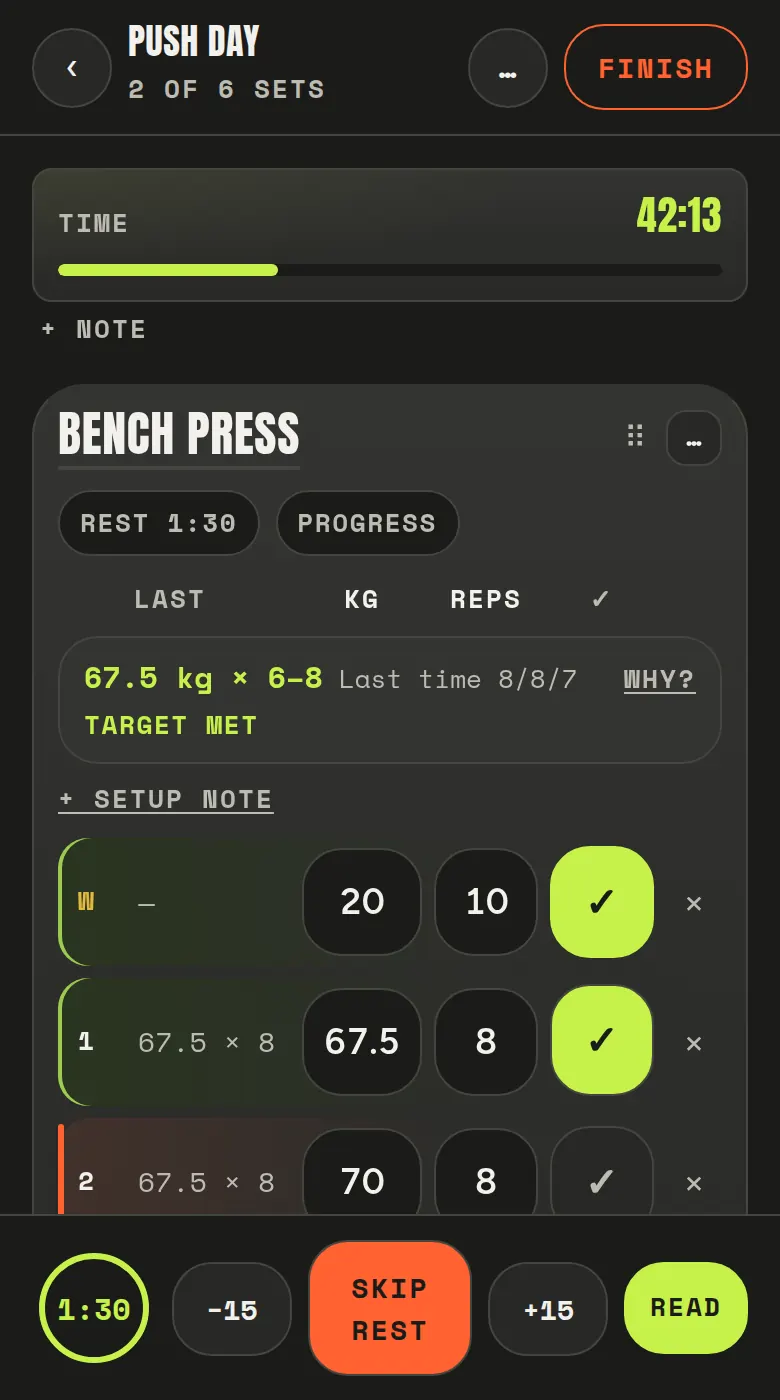
Log as you lift. Last session sits beside every row, and the rest timer starts itself when you tick a set.
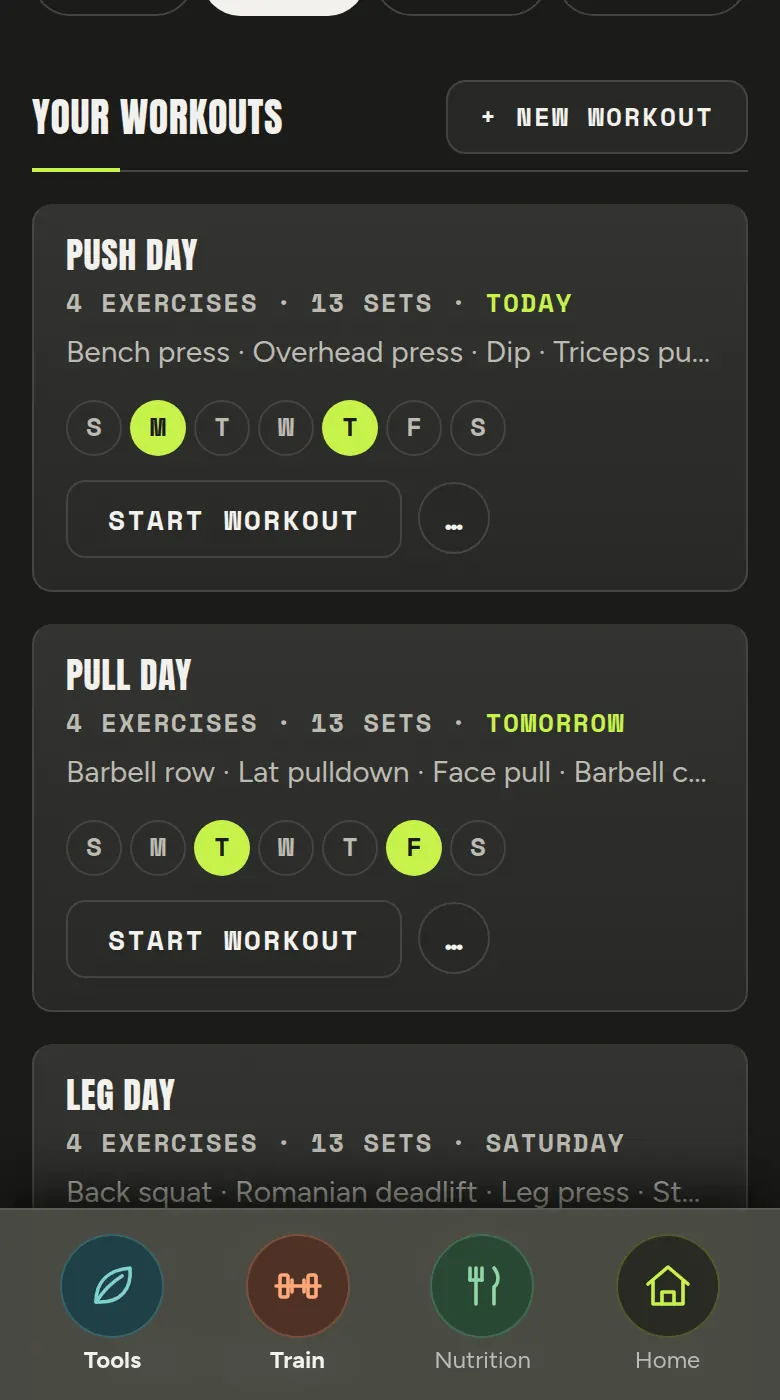
Save the days you repeat, give them a place in the week, and the tracker leads with whatever today carries.
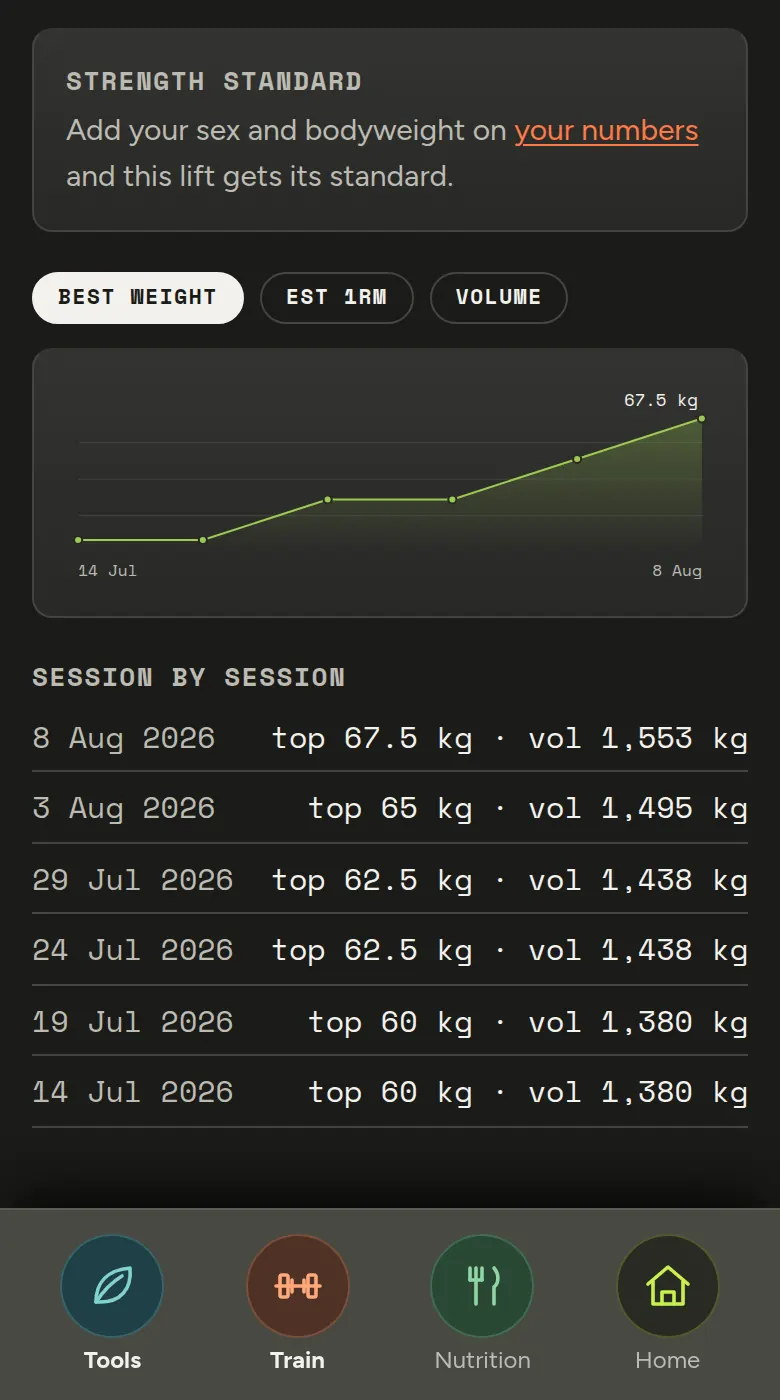
Every lift gets a chart, a plain-English read on the trend, and the session list behind it.
Three of them, up close
Supersets
Link two exercises and the timer waits for the second one.
The week
Give a workout its days and the tracker leads with today’s.
Today’s target
What to beat, and by how much you beat it.
How it works
Start
Start an empty workout, or one of your routines with every target prefilled.
Log
Add exercises, enter kg and reps, tick sets as you finish them. The timer and volume run along the top.
Finish
Get the session summary: duration, total volume, sets and any records you just set.
Common questions
Is the gym tracker free?
Yes. It runs in your browser with no download and no cost, and you can add it to your phone's home screen so it opens like an app at the gym.
Do I need an account to track workouts?
No. Signed out, everything is stored on your own device. A free FitTools account adds sync, so your workouts, routines and records follow you across devices.
Which exercises can I log?
All 150 movements in the FitTools exercise library, from back squats to farmer's carries, plus any custom exercise you care to name.
Does it track personal records?
Yes. Each time you finish a workout it checks your best weight, best single set volume and best estimated one rep max for every exercise you logged.
Does it work in kilograms or pounds?
Both. It follows your site-wide unit preference and one tap switches the display, with everything stored in kilograms underneath so nothing drifts.
Does it have a rest timer?
Yes. Ticking a set done starts the countdown automatically, with beeps into the final seconds and a buzz at zero. Each exercise can carry its own rest length, or none.